Capture
Trace, review, save, then keep moving.
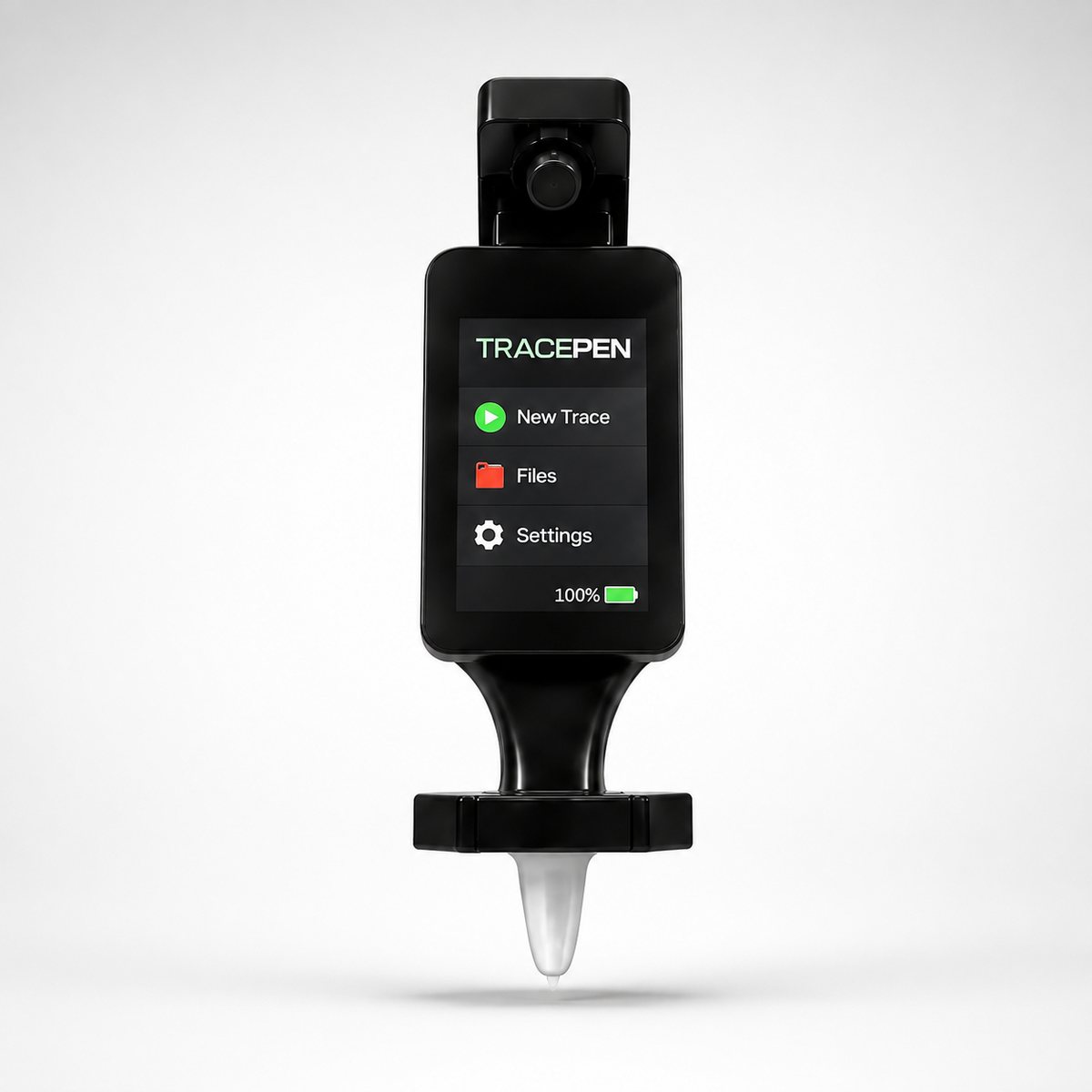
TracePen keeps the capture workflow on the touchscreen: start a 2D or 3D trace, watch the line build live, review the captured path, save it, and move straight into the next shape.
TracePen touchscreen + software app
Show customers the real TracePen interface: live 2D tracing, 3D capture, file browsing, DXF preview, wireless setup, calibration, touch testing, charging, and power controls.
What the software does
The TracePen workflow starts on the touchscreen and continues into the companion app. A customer can see the path being captured, save a DXF, open the file list, preview the trace, and send it into the app without guessing what is happening inside the hardware.
Capture
TracePen keeps the capture workflow on the touchscreen: start a 2D or 3D trace, watch the line build live, review the captured path, save it, and move straight into the next shape.
Connect
Bluetooth advertises TracePen for the companion web app, while the Wi-Fi tools scan networks, enter passwords, and prepare files for upload from the device.
Export
Saved traces can be browsed on the device, opened as DXF previews, and exported to the TracePen app so buyers can see a real path from hardware to usable file.
Tune
The touchscreen software includes PAA calibration, zoom controls, tilt guard, touch testing, charging, and power screens, so customers can see this is a complete device system.
LCD software gallery
Use this full gallery on the software page so visitors can understand exactly what TracePen can do before they buy.
TracePen branding, battery, and PAA status on boot.
Fast access to tracing, calibration, Bluetooth, Wi-Fi, files, and settings.
Trace workspace with grid, status data, and action controls.
Pre-capture countdown before a trace begins.
The live cyan path draws while TracePen moves.
Captured geometry is simplified into a clean review outline.
Saved trace confirmation with node and segment data.
IMU axis view for 3D tracing before capture.
3D trace mode combines movement with slope feedback.
TracePen advertises for the companion web app.
Connection status plus scan and forget controls.
Network scan with signal strength readings.
Touch keyboard for entering Wi-Fi passwords.
Browse saved DXF files and app upload paths.
Preview a saved trace before export.
Device confirms the file was sent to the app.
Entry point for calibration, zoom, touch test, and battery data.
Zoom, axis, unit, square test, and tilt guard controls.
Guided tilt setup with progress feedback.
Touch coordinates and raw input values for testing.
Battery percentage, voltage, and charging time estimate.
Hold-to-power-off confirmation with cancel guidance.
TracePen software app
The app receives TracePen exports, organizes saved traces, and gives customers a clearer path from physical movement to usable digital files.
TracePen is the digital bridge between physical templates and CNC production—capturing real-world outlines and bringing them into one connected workspace for review, organization and DXF export.
Connect TracePen to your shop Wi-Fi or compatible hotspot, select an individual trace or complete folder, and transfer your DXF files into the TracePen application.
TracePen is designed to reduce the gap between the physical shape in front of you and the digital geometry your production process needs.
Guide TracePen around the object, panel, flooring section or template you need to reproduce.
Save the trace, assign it to a project and transfer it into the connected TracePen workspace.
Open the editable file in your preferred CAD/CAM software for cleanup, nesting, toolpaths and production.
Connect the pen, begin tracing, create project folders, manage saved traces, import existing files, configure your device and access calibration tools.
TracePen is being developed for professionals who regularly need to convert physical shapes into organized, editable digital geometry.
Capture boat-deck, flooring and interior outlines.
Digitize custom interior panels and fitted components.
Bring real components into an editable production workflow.
Capture irregular shapes without relying on paper patterns.
Access your TracePen workspace from compatible devices. Direct browser-based Bluetooth availability depends on the operating system and browser being used.
Follow real prototype updates, device demonstrations, exported files and new TracePen software features as the system moves toward production.
Enclosure, display, sensors, electronics and tracing-ball development.
Tracing, projects, imports, setup, calibration and DXF management.
Move from a real-world outline to an organized, editable digital file with the connected TracePen hardware and software system.